Thursday, May 19, 2011

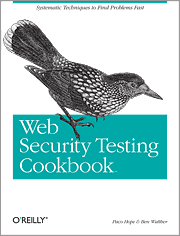
Review: Web Security Testing Cookbook by Paco Hope & Ben Walther


I’m not much for writing reviews of books that I read, but I wanted to heap some praise on this excellent book.  As a DoD auditor, more and more, especially in enterprise systems, we are running into applications; specifically web applications.  While auditing web servers, database servers, and operating systems is pretty generic (usually,) auditing the enterprise web applications is anything but.  To that end, I’ve picked up some books on (pen)testing web applications with the goal of sharpening my skills and better being able to answers the technical checks from the Application Security and Development checklist.

The Web Security Testing Cookbook by Paco Hope and Ben Walther is an excellent book for helping to be a better web application tester.  I should point out that the book is not aimed at pen-testers by any stretch; it is clearly aimed at in-house application testers.  But, that does not mean that the tools and concepts provided do not translate well to the auditor/pen-tester field.  In fact, it is with the eye of an auditor that I believe I was able to glean bits of information that I found useful that may not necessarily apply to an in-house application tester.

Like other books in the O’Reilly cookbook series, the book contains recipes to solving various problems.  Typically, within each chapter are a collection of like-recipes that have a problem, a solution, and a discussion.  Many tools are discussed (most of which are free or open source.)  And, many solutions are given to the various topics of testing.

Here is what I liked:

Chapter Two was awesome for me; a listing of the various tools that are used in the book.  Some of these tools I’ve heard of and used, some were new.  This was important to me because many times I am limited to “certified” tools for the networks we are auditing.  For example, most sites allow us to use Retina, but not Nessus.  On the application side, we are typically allowed to use HP’s WebInspect.  The tools listed in chapter two allow me to take a more “manual” approach to testing the application.  Specifically, I liked Firebug, EditCookies and TamperData, WebScarab, and ViewState Decoder.  One note, while testing Edit Cookies, I was not able to get it to work with FireFox 4, at the time of this writing.

The chapter on Basic Observation gave me a new appreciation for hidden fields and what you can do with them.

I do not have much experience with web encoding, so chapter four got me up to speed on the topic.  A recipe dealt with OWASP’s CAL9000, however another good encoder I have used is the one linked to by the Ethical Hacker:  http://yehg.org/encoding/.

Chapter 5, Tampering With Data, was one of my favorite chapters.  Many recipes were discussed, using the tools to show different ways to tamper with the data being sent to the application.  My favorite recipe in the book came from this chapter and discussed uploading of files with malicious files names; a concept I never gave much thought in the past.

Chapter 6 discussed the automation of some of the rudimentary tasks.  Some of the great tools discussed included wget, nikto, WSFuzzer, along with native *nix tools.

Chapter 7 dealt with cURL, a tool I’ve never used before but will probably add to the toolbox.  The first sentence in the chapter sums it up perfectly:  “cURL is a command-line URL tool that is ideal for automating simple web testing tasks.”  Many recipes were presented that gave examples of using cURL to accomplish common tasks.

Uploading viruses to an application (via EICAR), in chapter 8, was a that never dawned on me.  And, included with the concept is a snippet of Perl code that will do the trick.  Yet another great feature of the book is the inclusion of much Perl code to make the scripting of many of the recipes possible.

Chapter 11, on manipulating sessions, was enjoyable because I liked the presentation of the various tools to attack sessions and session state.  There are checks in the Application Development checklist that are specific to session state, so it was good to expand on my arsenal of tools to check sessions.

Probably the best feature of the book was that it gave me many "A-Ha" moments that will greatly expand my knowledge of auditing applications.  If you are in a position of having to audit web applications you will benefit from reading the recipes presented and using the tools described.

Monday, May 16, 2011

Draft Red Hat 5 STIG released

I just noticed that DISA has released version 1 of the Red Hat 5 STIG.  I've only taken a cursory look through the XML STIG, and it looks to be the unix STIG with specific guidance pointed towards Red Hat 5.

Friday, April 29, 2011

Even more STIG's released by DISA

Those noted by (*PKI) are only available in the CAC-protected area.

Windows Mobile 6-5 STIG Version 1, Release 1, Updated April 28, 2011
Windows 2008 STIG - Version 6, Release 1.14, Updated April 28, 2011
Windows 2008 STIG - Version 6, Release 1.14 (*PKI), Updated April 28, 2011
Windows 2008 DC STIG Benchmark Version 6, Release 1.14 (*PKI), Updated April 28, 2011
Windows 2008 MS STIG Benchmark Version 6, Release 1.14 (*PKI), Updated April 28, 2011
Windows 2003 STIG - Version 6, Release 1.21, Updated April 28, 2011
Windows 2003 STIG - Version 6, Release 1.21 (*PKI), Updated April 28, 2011
Windows 2003 DC STIG Benchmark Version 6, Release 1.21 (*PKI), Updated April 28, 2011
Windows 2003 MS STIG Benchmark Version 6, Release 1.21 (*PKI), Updated April 28, 2011
Windows Vista STIG, Version 6, Release 1.21, Updated April 28, 2011
Windows Vista STIG, Version 6 Release 1.21 (*PKI), Updated April 28, 2011
Windows Vista STIG Benchmark Version 6, Release 1.21 (*PKI), Updated April 28, 2011
Windows 7 STIG - Version 1, Release 4, Updated April 28, 2011
Windows 7 STIG, Version 1, Release 4 (*PKI), Updated April 28, 2011
Windows XP STIG, Version 6, Release 1.21, Updated April 28, 2011
Windows XP STIG, Version 6 Release 1.21 (*PKI), Updated April 28, 2011
Windows XP STIG Benchmark Version 6, Release 1.21 (*PKI), Updated April 28, 2011
UNIX Security Checklist Version 5, Release 1.29, Updated April 28, 2011
UNIX Security Readiness Review Evaluation Scripts (SRRs), Updated April 28, 2011
SPAN Keyboard Video Switch (KVM) STIG, Version 2, Release 1, Updated April 28, 2011
SPAN Multi-Function Device (MFD) and Printer STIG, Version 2, Release 1, Updated April 28, 2011
SPAN Storage Area Network (SAN) STIG - Version 2, Release 1, Updated April 28, 2011
SME PED STIG Version 2, Release 1 (*PKI), Updated April 28, 2011
Network Infrastructure Router L3 Switch - Version 8, Release 6, Updated April 27, 2011
Network L2 Switch - Version 8, Release 6, Updated April 27, 2011
Network IDS/IPS - Version 8, Release 6, Updated April 27, 2011
Network Firewall - Version 8, Release 6, Updated April 27, 2011
Network Other Devices - Version 8, Release 6, Updated April 27, 2011
Network Perimeter Router L3 Switch - Version 8, Release 6, Updated April 27, 2011
Network Policy - Version 8, Release 6, Updated April 27, 2011
Microsoft Office 2007 STIG - Version 4, Release 4, Updated April 27, 2011
Internet Explorer 7 STIG - Version 4, Release 4, Updated April 27, 2011
z/OS ACF2 STIG - Version 6, Release 7, Updated April 29, 2011
z/OS ACF2 STIG - Version 6, Release 7 (*PKI), Updated April 29, 2011
z/OS RACF STIG - Version 6, Release 7, Updated April 29, 2011
z/OS RACF STIG - Version 6, Release 7 (*PKI), Updated April 29, 2011
z/OS TSS STIG - Version 6, Release 7, Updated April 29, 2011
z/OS TSS STIG - Version 6, Release 7 (*PKI), Updated April 29, 2011
zOS SRR Scripts Version 6, Release 7 (*PKI), Updated April 29, 2011

Further,
Gold Disk - Updated April 29, 2011

Wednesday, April 27, 2011

Help with VxWorks

Help!

I'm in the middle of a testing engagement where I have run across VxWorks.  I am totally unfamiliar with auditing VxWorks and need some help with the finer points.  What I have come up against are medical devices that have multiple VxWorks modules attached to them.  The controllers are not a problem, they are either unix/linux or a variant of Windows.  However, the medical devices only show the VxWorks module to the network.  So far, I have run an NMAP scan, a Retina scan, and a Nessus scan.  I do not see a guidance, a checklist, or a STIG on DISA's site, nor do I see anything listed in the benchmarks put out by the Center for Internet Security.

So, for those of you that have had to audit a VxWorks system, what else did you do?  What other guidance did you use?  And, what did you use to tie back vulnerabilities (as I know that there are are some IAVMs that are VxWorks-related.)

April DISA updates

DISA's site is showing the list of updated STIGs and FAQs.  The following STIGs have been updated and released:
  • Blackberry STIG, Version 1, Release 4
  • Application Security and Development STIG and checklist, Version 3, Release 3
  • draft Apache 2.0 and 2.2 STIG
  • Domain Name System checklist, Version 4, Release 1.12
  • DoD Data Spill Procedures Guide for Blackberry Smartphones (PKI area)
  • DoD Host-Based Security System (HBSS) STIG, Version 3, Release 2
  • McAfee Antivirus Security Guidance, Version 4, Release 4
  • Network Infrastructure Router L3 Switch, Version 8, Release 6
  • Network L2 Switch, Version 8, Release 6
  • Network IDS/IPS, Version 8, Release 6
  • Network Firewall, Version 8, Release 6
  • Network Other Devices, Version 8, Release 6
  • Network Perimeter Router L3 Switch, Version 8, Release 6
  • Network Policy, Version 8, Release 6
  • Microsoft Office 2007 STIG, Version 4, Release 4
  • Internet Explorer 7 STIG, Version 4, Release 4
  • Internet Explorer 8 STIG, Version 1, Release 5

Also, the FAQ has been updated.

Thursday, April 21, 2011

Final Apple MAC 10.5 STIG released by DISA

I just received an email from DISA stating:
DISA Field Security Operations (FSO) has released the final Apple MAC 10.5 STIG Version 1.

The requirements of the STIG become effective immediately. The STIG is available on http://iase.disa.mil/stigs/os/mac/mac.html

The unclassified version of the STIG excludes IAVM information. IAVM information is in the FOUO version available in the PKI-enabled area of IASE.

Tuesday, April 19, 2011

Android STIG

An update to the STIG Development and Release Schedule on the DISA STIG page shows a STIG is in development for Android.  It looks like the Technical Interchange Meeting (TIM) is scheduled for July 19, 2011; and the Defense Information Assurance Security Accreditation Working Group (DSAWG) is scheduled for September 2011.

Practice/Test Forensice Images

I passed my GCFA about a year ago; and forensics and incident response have been my passion.  However, as a DoD auditor, I don't get to the forensics and incident response jobs as much as I would like.  Auditing is great, and I've been exposed to more and more of the offensive side of the security fence than I would have guessed.  As a former application developer, I have gravitated towards the application pen-testing arena; and have learned much and really like it.

To that end, I feel my forensics skills getting a little rusty.  So, I've been looking for ways to stay sharp.  I started compiling a list of the various sites that housed test images.  And in the process, I found that Forensic Focus has a good list:

Forensic Focus Test Images and Forensic Challenges

I'll update this post with other sites and compendiums that I find in the future.

Friday, April 15, 2011

Scripting the retrieval of the warning banner (legal notice) when pushed by Group Policy

As an auditor, one of the controls I constantly come up against is ECWM-1, which states:
All users are warned that they are entering a Government information system, and are
provided with appropriate privacy and security notices to include statements informing
them that they are subject to monitoring, recording and auditing.
All workstations, servers, applications, networking gear, and other hosts must have a specific banner.  (I'm aware of exceptions, but I'm discussing that first-line of defense to an asset, the warning banner.)  Gold Disk, in its latest incarnation does not appear to actively check for the banner; in the tests that I have run, it marks the check as NR and must be manually reviewed.  Doing this for a machine or two is not bad.  However, many times I am working an enterprise system where there man be many servers and hundreds of workstations.  To solve that issue I wrap up many tools (including Gold Disk and Oval) in a a script in order to deploy the script and collect the results automagically.  Usually, I'll set up a share on a server where all servers and workstations can automatically dump their results.

So, there is the question of how to look at all of those warning banners.  Or, at least, how to look at a representational sample.  There are many references on how to set a warning banner on a local host.  The text you want to display as a banner gets added to the following key:
hklm\software\microsoft\windows nt\current version\winlogon and the key is LegalNoticeText

However, in these enterprise systems and enclaves, the warning banner is almost always pushed down to the workstation by Group Policy.  That key is:  hklm\software\microsoft\Windows\CurrentVersion\Policies\system and the key is LegalNoticeText.

To script this out, I do:
objShell.Run "cmd /c reg query ""hklm\software\microsoft\Windows\CurrentVersion\Policies\system"" /v LegalNoticeText >" legalnotice.txt

Now, I have a copy of the warning banner which I can inspect for compliance later on.

Tuesday, April 5, 2011

Mac OS X 10.5 STIG update

According to the DISA STIG page, DISA has released the Mac OS X 10.5 STIG, Version 1, Release 1.